Back to blog
Icon showing a gradient blend transition from red on the left to blue on the right on a small rounded square.
Featured
Icon showing a gradient blend transition from red on the left to blue on the right on a small rounded square.
New release
Close-up of green-yellow onion bulbs with a slight root at the bottom.
Educational
Illustration of a blue whale transitioning into green geometric shapes on a white background.
Newsletter

Major Release (2021/R5) of Aproove WM featuring Video Proofing!

Written by: Jeff Ross

Aproove is pleased to announce a significant new version of Aproove Work Management!

Version 2021/R5 is primarily focused on a new video interface with enhanced features.

We are also delighted to share the inclusion of security enhancements, existing feature enhancements, and system performance optimizations.

As a reminder, version names now start with the year, then the release number for that year. As the fifth release of 2021, this is version 2021/R5.

As with every major upgrade, we strongly encourage Enterprise customers to test all workflow scenarios upon upgrade.

The Aproove Customer Success team will be in touch over the coming weeks to arrange your upgrade.

Below is a summary of the new features in version 2021/R5

Video Proofing;
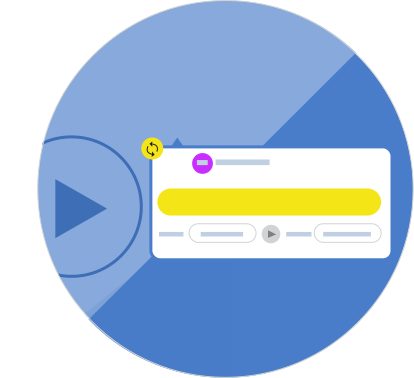
Video-Note-Loop
  • Video comparison view with simultaneous playback
  • Fast forward and rewind of video
    (with frame-by-frame option)
  • Individual Note looping
  • Timeline control for annotation notes
    (jump to annotations on a video timeline)
  • Mute and Fullscreen control options
  • Ability to change note start and end time after creation
  • Ability to edit time markers within notes
  • Export videos from Dashboard
  • Admin setting controls to specify video processing options such as max bandwidth, mobile support, and multiple streaming resolution, among others
The video below shows the new side-by-side, simultaneous playback in the project comparison view;

Video-Comparison

Security;
  • Ability to redirect users to the Aproove login screen when tasked via email
    (to prevent users from forwarding email tasks to someone else).

  •  
miscellaneous-2021R5
Miscellaneous;
  • Improve Note Visibility for annotation to stand out against a similar background-color
  • Optimized and improved the Comparison View experience
  • Asset Browser view options expanded to incorporate a new function allowing for the copy of existing proofs to another project
  • Enhanced user permissions on 'Notes' that contain forms
  • Prevent a task from being deleted, or expired if it's the last task in a workflow

For additional release material, click here.

Audit-ready at a moment’s notice.

Aproove makes accuracy, speed and scale realistic for regulated content. 

Resources

Keep on reading

Close-up of digital noise or static texture with scattered gray and black pixels on a white background.

Aproove 2026 R4: native HTML proofing, and large projects processed in parallel

Aproove 2026 R4 adds native HTML proofing and processes large projects in parallel, so that collaboration and review of large projects operate faster than ever before.

5 min read
Icon showing a gradient blend transition from red on the left to blue on the right on a small rounded square.
New release
Icon of a plant seed sprouting with two green leaves on a gradient green to yellow background.
Online proofing
Icon of a plant seed sprouting with two green leaves on a gradient green to yellow background.
Compliance
Close-up of digital noise or static texture with scattered gray and black pixels on a white background.

Why Regulated Approval Workflows Are Exponentially Complex — and Why AI Needs Atomic Extraction to Help

See how AI atomic extraction works in regulated approval workflows and why it relieves the pressure of scaling while maintaining human decisions for compliance.

7 min read
Illustration of a blue whale transitioning into green geometric shapes on a white background.
AI
Icon of a plant seed sprouting with two green leaves on a gradient green to yellow background.
Compliance
Illustration of a human head with a yellow and blue gradient, showing a transparent brain with highlighted neural networks and connections inside.
Workflow automation
Close-up of digital noise or static texture with scattered gray and black pixels on a white background.

AI Workflow for Medicare Marketing Compliance: How to Manage High Volumes of Regulated Content

CMS marketing material approval processes are complex, but AI can support a better workflow for quick approvals at scale that stay human-driven. Try Aproove.

7 min read
Icon of a plant seed sprouting with two green leaves on a gradient green to yellow background.
Compliance

Audit-ready at a moment’s notice.

Aproove makes accuracy, speed and scale realistic for regulated content.

Abstract blurred gradient background blending green, blue, and yellow colors.