
You can't live in the app all day. The app can come to you.
Custom alerts keep you connected, even when you’re not looking at your project management dashboard. Aproove gives every user three layers of awareness over the projects and tasks they care about. A real-time activity feed inside the app for users who want continuous visibility. A scheduled email summary for users who prefer a daily or weekly digest. Event-driven email for the specific moments that matter (a proof approved, a task assigned, a new version uploaded). Each user picks the channel, the frequency, and the events. The platform meets them where they work.

What it is
Alerts & Notifications is the layer of Aproove that keeps people informed about project activity without forcing them to sit inside the app. The production tracking software moves with you throughout the work day. Alerts & Notifications is composed of four configurable mechanisms working together:
- Recent Activity Widget on the home dashboard. Live, real-time feed of project, proof, note, task, and workflow events for projects the user has access to.
- Scheduled Activity Report. An email summary of the same activity stream, delivered at the frequency the user chooses (hourly, daily, weekly). The fallback for users who cannot watch the live feed.
- Project Email Notifications. Event-driven emails for specific project milestones the user cares about (new proof versions, approvals, notes, completed tasks). Configured once per user, applied automatically to every project they join.
- Grouping Task Email. Email notifications specifically for tasks landing in the user's queue, with grouping options (instant, daily, weekly, per-project).
Every mechanism is per-user. Different people on the same project can have entirely different notification profiles, and they all work.
Why it matters
Notification fatigue is the silent killer of collaboration platforms. Send too many emails and users mute them, missing the ones that matter. Send too few and users start asking each other "did you see this?" in side channels. Force everyone into the same notification model and you guarantee one of those two failures.
The real-world reality is more varied. Project managers need awareness of everything that moves. Specialist reviewers need notification only when work lands for them. Approvers want a Monday morning digest of what closed last week. External agency contacts want email-only, since they are not logged into the app most days. A single notification policy cannot serve all of them.
Aproove's approach is to give each user the controls and let them tune for their own work pattern. Recent Activity Widget serves the always-on users. Scheduled Activity Report serves the digest crowd. Project Email Notifications serve the event-driven approvers. Grouping Task Email serves task-focused reviewers. The platform does not decide; the user does. The result is awareness without noise, and nothing missed.
How it works
Recent activity widget
The project management dashboard’s Recent Activity Widget streams project events live as they happen. Each user sees activity from projects they have access to in the Projects Dashboard. As events occur, a brief description and the initiating user's avatar appear in the feed, with a preview (where possible) and a direct link to the event. Clicking the link takes the user straight to the activity, inside the proof if that is where it occurred.
A red dot appears next to any project in the Recently Accessed Projects and My Projects views when activity has occurred, so users can see at a glance which projects have moved.
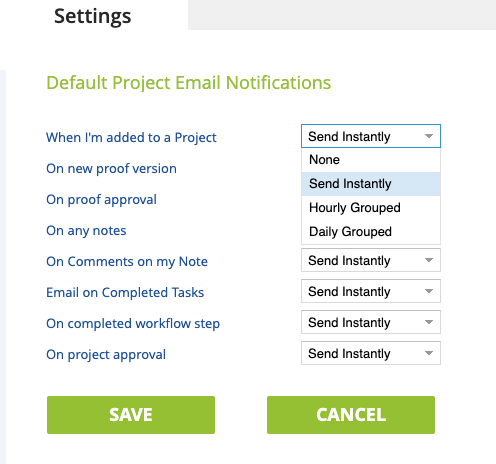
Each user controls what shows up in their feed through the Dashboard Event Filter under Settings. Filters cover five categories (Project, Proof, Note, Task, Workflow Step) with granular events inside each.
Scheduled activity report
The Recent Activity feed is live, which means a user who is not watching the dashboard at the moment an event fires can miss it. The Scheduled Activity Report is the safety net.
Users configure a recurring email summary of the same activity stream at the frequency that fits their work pattern: hourly, daily, or weekly. Daily lets the user pick the time of day. Weekly lets the user pick the day of week and the time. The same five-category filter applies, so the
Project email notifications
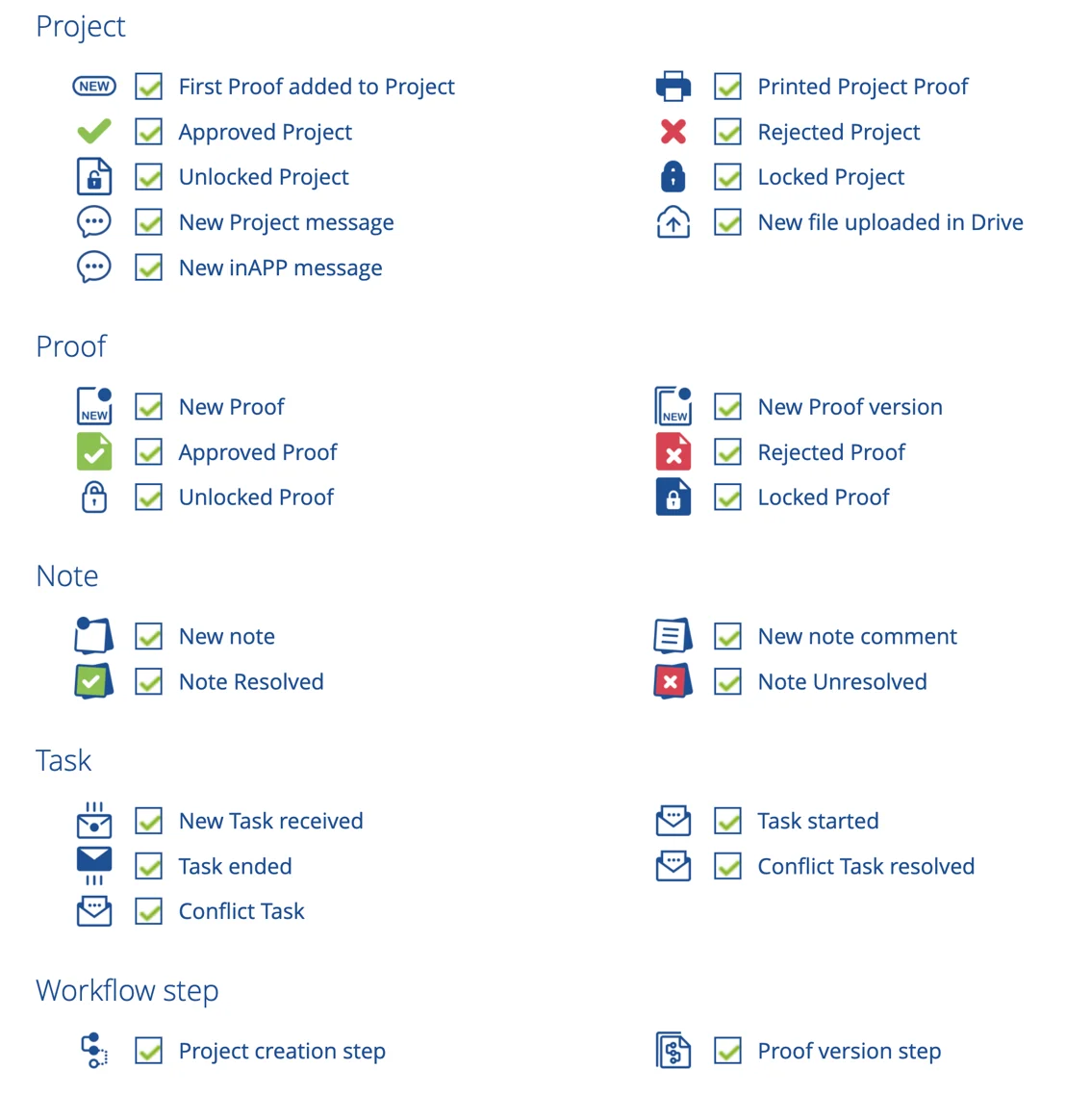
Project Email Notifications fire on specific milestones rather than the full activity stream. Users configure their defaults once, and those defaults apply automatically to every project they are added to going forward. The supported events:
- When the user is added to a Project
- On new proof version
- On proof approval
- On any notes
- On comments on the user's own notes
- On completed tasks
- On completed workflow step
- On project approval
Each event can be configured to one of four frequencies: None, Send Instantly, Hourly Grouped, or Daily Grouped.
One important detail: when a project is created, the initiator can override individual users' default email settings for that specific project. Urgent projects can be configured to fire instant notifications regardless of any user's default. The user's preferences are honored for normal work; the project initiator's authority covers the exceptions.
Grouping task email
Grouping Task Email is the parallel mechanism for tasks specifically. It works alongside the user's To-Do List. Many Aproove users keep the app open and prefer to work from the live To-Do List with no email. Others spend most of their day in other applications and want an email the moment a task lands.
Users choose from three patterns:
- No email. The user picks up tasks from the To-Do List inside Aproove.
- Instant. An email arrives for every task as it is assigned.
- Scheduled grouping. Tasks are batched into a single email at the user's chosen frequency (daily, weekly, with time of day specified). Optionally grouped per project. Optionally limited to new tasks only.
Whether or not the user receives email, the task always appears in their To-Do List inside the app. Email is the layer on top, not the only channel.
Benefits
- Notification fatigue managed at the user level. Each user picks the channels and frequencies that fit their work, not the platform's defaults.
- Three channels, one underlying activity stream. Live in-app feed, scheduled email summary, and event-driven email all draw from the same project activity, so users can pick the right format without losing coverage.
- Defaults travel with the user. Project notification settings configured once apply automatically to every new project. Onboarding into a new project does not require resetting preferences each time.
- Project initiators retain override authority. Urgent projects can force instant notification regardless of user defaults, so critical work does not get lost in someone's daily digest.
- Filtered to what each user cares about. All five activity categories (Project, Proof, Note, Task, Workflow Step) are independently filterable per user, so the noise floor stays low.
- Email and in-app are complementary, not redundant. Users who live in the app rely on the live feed. Users who do not, get email. Most pick a mix.
- Tasks always appear in the To-Do List. Email is optional; the in-app task queue is the source of truth, so disabling notifications does not mean missing work.
Who it's for
- Project managers tracking activity across many concurrent projects who need granular control over which events surface to them.
- Reviewers and specialists who want notification only when work lands for them, not the full activity stream.
- Approvers and executives who prefer a daily or weekly digest over a continuous feed or full project management dashboard.
- External agency contacts and freelancers who work outside Aproove most of the day and need email-driven engagement.
- Operations leaders evaluating platforms against the question "can our users control their own notification profile, or will we be fighting fatigue from day one?"
Under the hood
Alerts & Notifications operates as a per-user configuration layer over Aproove's underlying activity stream. The activity stream captures project, proof, note, task, and workflow events as they occur, and serves them to subscribers through four channels: the Recent Activity Widget (real-time in-app feed), the Scheduled Activity Report (batched email summary on user-configured cadence), Project Email Notifications (event-driven email on configurable events at configurable frequencies), and Grouping Task Email (task-specific email with grouping options). Each user's filter set, frequency selection, and channel preferences are stored at the user level and applied automatically when the user is added to a new project. The project initiator retains override authority on a per-project basis, allowing urgent projects to force instant notification regardless of user defaults. Recent Activity events trigger red-dot indicators in the Recently Accessed Projects and My Projects views, providing visual cues for projects with new activity. All notifications respect the user's access permissions; users do not receive notifications about activity they would not be permitted to see.

Built for regulated environments where failures create real risk
Insurance, healthcare, and enterprise teams face unique approval challenges. Aproove handles state-by-state variations, mandated language, FDA submissions, and multi-geography brand governance without breaking a sweat.





Trusted by leaders
Used by teams that cannot afford uncertainty in their approval process.

"Implementing Aproove has dramatically reduced errors, increased motivation and satisfaction across the teams and importantly, saved the operation significant hard costs."


“The Aproove team are the best team in the world. I feel like I'm their only customer, they are always there for me.”


"Within a short period, we were able to reduce 25 workflows into a single workflow. The team saw a 15-week reduction in getting new marketing packages from idea to market. More importantly, it ensured that all the packages were compliant with regulatory requirements. All steps, comments, and approval are captured and saved for any audits."

More ways to streamline high-stakes workflows




See how each user controls their own notification profile
