


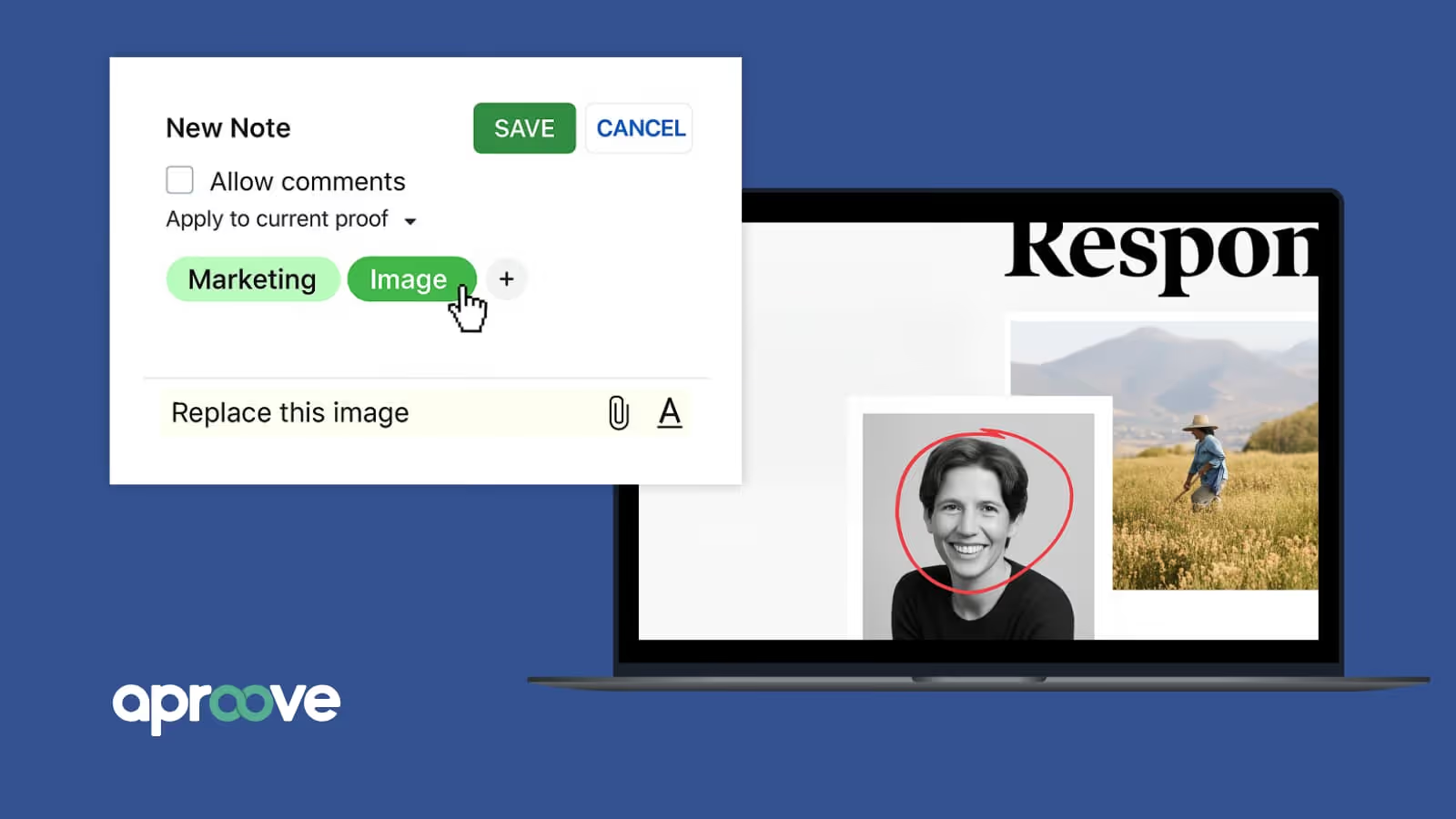
People equate online proofing with markup features like reviewer comments and consolidated feedback. For regulated enterprise content, that’s just the beginning.
The harder questions come when a regulator, auditor, or state examiner asks how a piece was approved. Did reviewers see the actual production file? When a disclosure was changed in Version 4, did the right stakeholders look at the revision? When brand and compliance didn’t agree, what was the final decision, and where was that settled?
Regulated teams need enterprise online proofing that preserves the record required to answer every question above—and more.
In this guide, we cover what separates enterprise online proofing from lightweight markup, the features teams need, what regulated proofing looks like, and how teams should evaluate whether a platform is right for them.
What Is Enterprise Online Proofing?
Enterprise online proofing is a process allowing for centralized digital content review, routing, annotation, and approval across multiple stakeholder groups and workflow stages. Instead of feedback scattered across email, chat sessions, and shared drives, reviewers work from one location, with every version and decision attached.
For regulated teams, enterprise proofing should not operate as a standalone review layer. It should sit inside the governed content lifecycle, connecting work-in-progress, review, approval, production, and the audit record. That broader model is Regulated Content Operations
For the fundamentals, read our overview about how online proofing works.
In insurance, Medicare/Managed care, and other highly regulated industries where multiple stakeholders, versions, jurisdictions, or production formats come together, every mistake comes at a cost. For regulated industries, enterprise creative review systems have to provide traceable control over the file fidelity, version integrity, permissions, workflow governance, security, and auditability.
Why Enterprise Proofing Workflows Get Messy
Most of the chaos happens when three elements of your workflow start to undermine each other: stakeholders reviewing the same asset, feedback spread across too many tools, and overlooked errors in regulated content that come at a high cost.
Multiple Stakeholders
Enterprise workflows involve multiple stakeholders spread across departments and organizations. Creatives, account teams, decision-makers, project managers, and clients all weigh in. That's a lot of people with different priorities and ways of working. In regulated work, legal and compliance join that list, and their sign-off carries different weight.
It gets messy when nobody's actually collaborating—they're just escalating the confusion. The legal team reviews version 3 while the CEO approves version 1 and the designer works on version 5. The project manager becomes a full-time translator, spending hours collecting scattered feedback and figuring out which version everyone's talking about.
Scattered Processes
When teams use email threads, random project management tools, and spreadsheets for creative feedback, communication breaks down and details get overlooked. Someone emails a PDF. People respond with vague comments like "make it pop" or "needs more brand." Others print it out and scribble notes.
In cases like this, feedback lands in one place and decisions in another. When your process requires someone to chase down and compile feedback from six different sources manually, you have a workflow problem.
Regulated Context
Enterprise organizations require proper compliance records to meet legal, regulatory, and internal requirements. A team may have to show who reviewed a piece, which version they saw, and when it was approved.
Email threads don't cut it for compliance audits, and rebuilding that history after the fact isn’t just time-consuming—it’s an ever-expanding opportunity to introduce new errors in a high-stakes environment.
How Enterprise Proofing Differs From Lightweight Proofing
Lightweight and enterprise proofing share the same foundational baseline: comments and markers that specify precisely which parts of the content reviewers are addressing, annotation tools that allow drawing directly on content for crystal-clear feedback, attachments for including reference materials with comments, and timecodes for video and audio files that automatically link comments to specific moments.
While small teams may get by with simple online proofing software, a scaling operation can’t maintain disparate communication and limited features once volume, stakeholder count, and regulatory risk are all on the rise.
Use the table below as a guide between core features any online proofing platform should offer, and the added level of detail teams should expect for regulated enterprise work.
However, even enterprise-grade proofing is only one part of managing regulated content. Organizations must also govern how work is initiated, how decisions change the workflow, how production progresses, and how those activities become a defensible audit record. That’s the distinction between enterprise proofing as a capability and regulated content operations as an end-to-end approach.
What Regulated Review Teams Need from Enterprise Online Proofing
Each capability below is a key requirement process teams should expect from a comprehensive platform that services enterprise proofing for regulated teams.
Production-Grade File Support
A disclosure change, an altered barcode, or a claim that shifted between versions: These are the details that typically get lost when a file is converted to a review copy. A flattened PDF, a low-resolution preview, or a still frame from a video often results in losing fidelity or functionality.
That's why regulated teams generally need to review the production content itself. Every format has to render accurately—what reviewers approve is what ships, including large files and the many variants a single campaign can produce.
Aproove’s atomic extraction breaks production files into component-level detail, giving review, routing, and AI the context to work on specific content for 180+ file types without conversion. Proprietary file extraction engine renders 150+ formats pixel-for-pixel across static and motion assets. PDFs render through the Adobe PDF Library, video can carry burned-in timecodes for precise feedback, and HTML5 packages play live in the reviewer's browser.
Aproove also understands what's inside a file, including its text, layers, and structure, so it can track the data and point legal and compliance reviewers to the content most likely to need their attention.
Version Control and Changed-Content Review
Version control in an enterprise proofing workflow should answer four questions during review:
- Which version is current?
- What changed?
- What needs another review?
- Which version ultimately received approval?
Automatic versioning helps with the first question by preventing reviewers from marking up outdated versions, a common problem that creates confusion and rework.
The third question is where most of the time goes. A new version might change one disclosure included on a single page. Without a clear record of what changed, reviewers can't tell whether earlier approvals still apply, and the whole asset goes back through full review. But what if only page 3 of a 50-page catalog changed?
Changed-content review solves that by surfacing what moved, so reviewers can focus their attention where it's needed. Leading solutions automatically detect changes between proof versions and highlight them in various display modes, including side-by-side, pixel comparison, ghosting, and overlay views.
What matters in regulated work is how far it goes. Changes have to be visible at the page or component level, empowering reviewers to decide whether earlier approvals on unchanged content can stand.
Aproove's page-level smart review treats each page of a multi-page document as its own reviewable proof, re-versioning only the pages that changed, filtering the view to those pages alone, and flagging unrequested changes alongside requested ones.
Aproove’s Smart Scan compares each page against its prior version, re-versions only the pages that changed, and flags both expected and unauthorized changes. Reviewers can then filter to changed pages rather than re-reading the entire document. This precision saves teams hundreds of hours per project on large files by instantly highlighting exactly where changes have been made, no matter how subtle.
Stakeholder-Specific Routing and Permissions
Regulated content approval is owned by several teams. Marketing, creative, legal, compliance, product, production, agencies, and outside partners all touch the same asset, but they don't require the same view—or the same authority.
Enterprise proofing should let teams control two things separately: what content each person can see and what commenting and formal approval actions each individual can perform.
Routing should follow the same logic. Brand can review messaging while legal reviews disclosures in parallel.
When one approval depends on other decisions, dependencies can be sequenced, and paths route based on rejections, revisions, or exceptions made.
Conflict and Exception Handling
Disagreement between reviewers is common. Two reviewers read the same regulatory disclosure differently. The problems occur when resolution happens in email, chat, or a meeting, and the official record shows an outcome with no trace of how it was reached.
A defined resolution path keeps that context connected to the workflow. Teams decide in advance what triggers escalation, who has the authority to resolve it, and what that person sees when they do.
In Aproove, conflict management routes an unresolved decision to a designated Conflict Manager, with full context, inside the workflow. And that role can vary from one step to the next, handing decisions to a team manager, a compliance operations lead, or a subject matter expert.
Decision History and Auditability
Online proofing compliance requires a platform that will maintain comprehensive audit trails, including records of who viewed content, what comments they made, and when approvals were granted. The comment history shows what reviewers said, but a decision record shows what they decided and how the process reached its outcome.
A more complete decision record may preserve:
- The reviewer
- The decision
- The timestamp
- The version and content reviewed
- Any exceptions or escalations
- The final disposition
The value is in the connections. When each decision is tied to the content, version, and workflow step involved, teams and future auditors know who approved what, and when—without having to rebuild the timeline.
Requirements differ by industry and organization. In FDA-regulated environments, for example, 21 CFR Part 11 sets criteria for the use of electronic records and signatures in place of paper records. Capturing a proofing audit trail as the work happens is far easier to retrieve and rely on than one assembled afterward. Aproove's built-in auditability records each decision as it occurs.
Enterprise Security and Controlled Access
Enterprise proofing data security starts with the questions any enterprise system faces: how users authenticate, what they can access, and where data lives. Proofing adds a few of its own, because sensitive files have to move between internal teams and outside reviewers. Areas to evaluate include:
- Authentication: Single sign-on, such as SAML 2.0, and a second factor at login or at the point of decision
- Permissions: Separate control over what content people can see and what actions they can take
- Encryption: Strong encryption protocols for data in transit and at rest
- External reviewer access: Bringing in agencies, outside counsel, and vendors without widening exposure
- Secure file delivery: Whether files stream to reviewers or have to be downloaded
- Deployment and data requirements: Whether the platform fits your organization's hosting and data-handling needs
- Assurance: Regular security audits and vulnerability assessments, plus well-defined incident response plans
Frameworks like the NIST Cybersecurity Framework 2.0 provide broad security guidance without prescribing specific controls. You have to judge a platform based on your organization's risk and regulatory requirements, not on some universal checklist.
Aproove, for example, streams files to reviewers without downloads; supports SAML 2.0 SSO and configurable two-factor authentication; and offers cloud, self-hosted, or on-premise deployment.
Governed Human + AI Review
Properly-architected AI makes regulated review faster without harming accountability. Well-governed AI can pre-analyze files before a person opens them, flag potential risk against defined rules such as regulatory requirements or brand guidelines, classify and tag content, and provide reviewers the data that requires their unique attention.
AI assists the process, but the accountable people are always the final decision-makers. With Aproove's governed AI agents, the agent works from the same component-level details as reviewers, scanning that content before a person opens it. The agent flags, and the human decides.
What Does Regulated Enterprise Proofing Look Like in Practice?
Insurance member-communications campaigns provide a reference point for the enterprise regulated proofing process. Materials for Medicare Advantage and Part D plans fall under CMS communications and marketing requirements, which change regularly. The 2026 updates apply to contract year 2027 materials starting October 1, 2026.
A regulated enterprise proofing workflow might run like this:
- Campaign and production assets enter the governed environment as they're created and revised.
- Marketing, brand, legal, and compliance reviewers receive role-specific content.
- Independent reviews run in parallel where dependencies allow.
- If reviewers disagree, the conflict follows a defined resolution path to a designated decision-maker.
- Revisions happen according to stakeholder permissions. For example, if a revision changes one state's disclosure, the new version surfaces that change, and the responsible reviewers see the update for final approval.
- Final decisions remain connected to the approved version and the workflow history.
Reviewers, sequence, and security requirements vary by organization.
How to Evaluate Enterprise Online Proofing Software
Don't get distracted by feature lists. Instead, focus on your actual problems. Write down your must-haves before you start demos.
Don't just watch the vendor's demo. Regulated teams learn more by testing a platform under the conditions where their own process tends to break. Before you choose enterprise proofing software, try to:
- Upload a difficult production file, such as a long document, a print-ready piece with spot colors, or a video with on-screen disclosures, and check how faithfully it renders.
- Run a representative multi-stakeholder approval with your real reviewer groups and permissions.
- Change content after review has started, and see what reviewers are asked to look at again.
- Introduce reviewer disagreements and observe the resolution record.
- Retrieve the decision history, including who made decisions and when they were made.
- Evaluate relevant security controls against your own requirements.
- Ask how AI permissions and actions are governed, and whether AI activity is logged.
Ensure the solution works for everyone by including representatives from all stakeholder groups in testing—creatives, project managers, compliance officers, and executives. Measure concrete metrics during testing, such as time saved per review cycle and reduction in revision rounds.
The Total Cost of Ownership analysis should extend beyond the sticker price to include licensing model evaluation (per user, per project, or flat rate), implementation costs, including technical setup and integration, training expenses for onboarding your team, and ongoing support costs.
Many organizations also underestimate the change management effort required for successful implementation. A phased implementation approach minimizes disruption and increases adoption rates.
To see how those tests play out on a proofing platform built for regulated review, start with the file you're most worried about.
Where Online Proofing Fits in the Regulated Content Lifecycle
Regulated content starts as a request or brief, and continues through revisions, reviews, and rollout. What’s left behind may become an audit record many months later.
Online proofing integration with project workflows is necessary to prevent errors that stem from separate workflows.
Aproove supports Adobe Creative Suite and Microsoft Office integrations, plus REST and webhook APIs. Enterprise deployments can add custom connectors and deeper integrations, including bidirectional Adobe Workfront integration. These integrations help reduce the fragmentation problem that plagues enterprise workflows, where teams must constantly switch between systems, losing productivity.
The end goal is a single pane of glass, providing a controlled environment for legal, compliance, brand, marketing, product, agencies, and partners—a platform that connects a living record to work as it progresses. That's the idea behind Regulated Content Operations: governing how regulated content moves from request to final approval.
In Aproove, enterprise proofing is part of a larger, governed process inside the Regulated Content Operations model. Aproove doesn’t just capture comments: It captures decisions.
Work begins with requests, assignments, and content development before it moves through iterative reviews and approvals. Then it continues into production and audit readiness. Marketing, legal, compliance, and production reviewers work within a connected environment rather than moving files and decisions between disconnected systems.
Work routes based on reviewer decisions, with parallel approval flows, loops, and backtracks when a decision sends work back. Every decision is captured as it occurs, backed by a Grade 1 immutable audit trail and support for Part 11 electronic signatures. AI agents pre-analyze files and flag risks, but a person makes every final decision.
See how Aproove supports regulated online proofing.
Frequently Asked Questions
What is enterprise online proofing?
Enterprise online proofing centralizes review, versioning, routing, permissions, and approval across large or complex stakeholder groups. With secure administrative access in the cloud, a platform is capable of managing multiple stakeholders, versions, and formats in a single, controlled location.
How is enterprise online proofing different from basic proofing?
Basic proofing lets you track different reviewer notes. Enterprise online proofing for regulated teams adds to this the details regarding what reviewers determined, including version history, routing and permissions, and conflict handling.
How should proofing software handle version changes?
Proofing software should make it easy for reviewers to see exactly what changes from one version to the next. It should make unchanged content identifiable so the organization can determine whether prior approval remains valid under its governance rules.
What should regulated teams evaluate in an online proofing platform?
Your regulated team should evaluate an online proofing platform based on your real workflow needs. Complex, regulated work requires multiple hand-offs, different administrative access points, external review seats, and traceable comments, decisions, and approval history. Be sure you’re able to test a platform to ensure the process doesn’t lead to having to reconstruct the record.
How can AI support regulated content review?
AI can provide valuable insights for the review process by pre-analyzing files, flagging potential risks, and alerting reviewers to details that need their attention and judgment. In a governed setup, it’s important that every AI action is logged to the same degree as human reviewers.