
Introduction
Housekeeping:
- If you have questions, add them to the Q&A box in the Webinar application
- If we don’t have a chance to answer all questions, we’ll send the answers by email after the webinar
- Note that we will be recording this webinar and making it available to our customers
Introduction to Concoord
Challenges:
- Today’s SaaS solutions are locked down, data silos and not extensible.
- There is a requirement for a middleware layer that bridges the gap between these silos.
- Businesses require mission critical connectivity, integrations between systems that just work.
Solution:
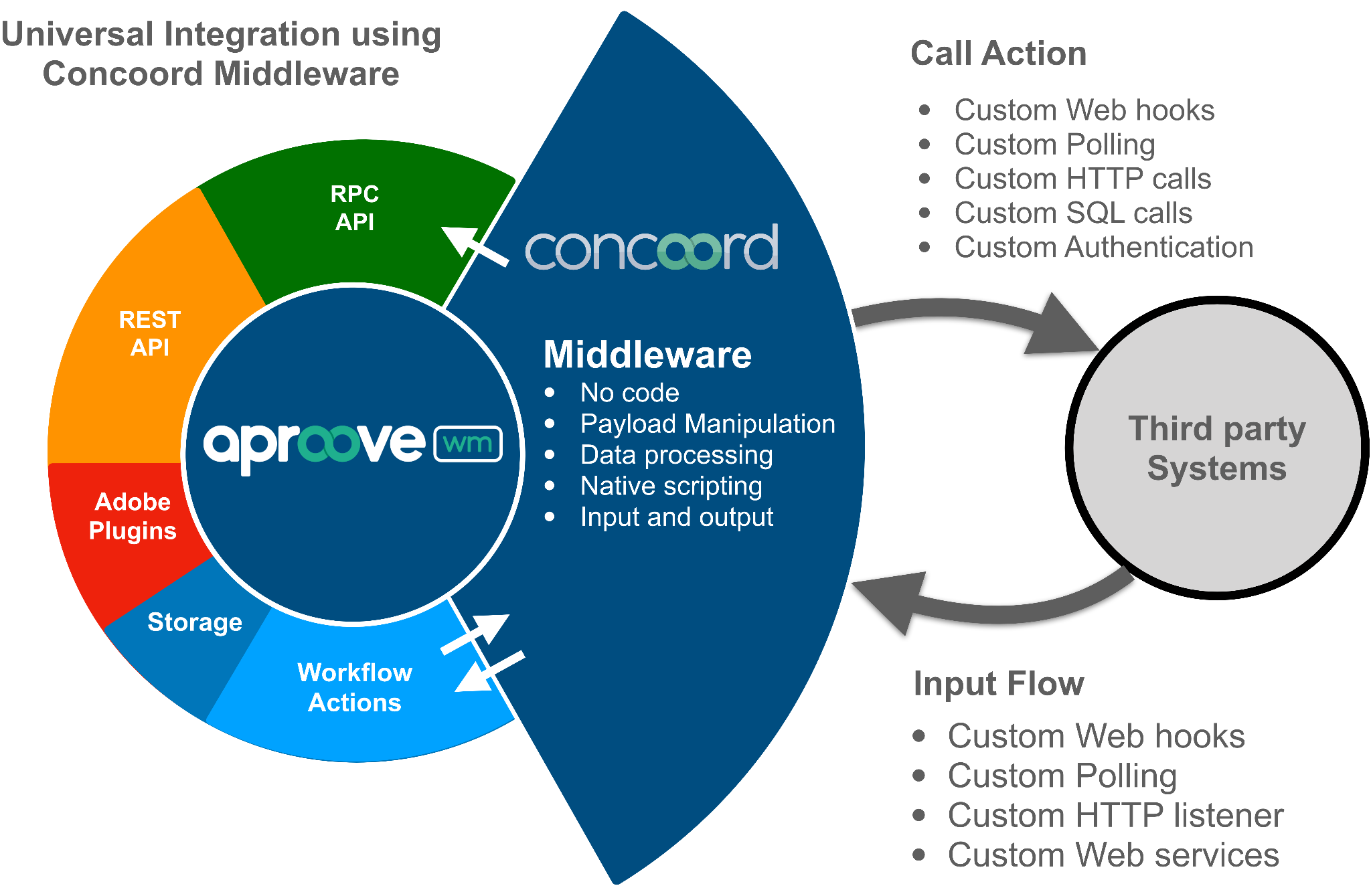
- Aproove have recognized these challenges and are in a unique position to offer Aproove Concoord, an iPaaS (Integration Platform as a Service) built right into the Aproove ecosystem.
- With over 3,600 available functions & connectors for Concoord, you are free to build your own integrations, or have our professional services team build them for you.
Connecting your technology stack with Aproove Concoord!
Base definitions
Connecting your technology stack with Aproove Concoord!
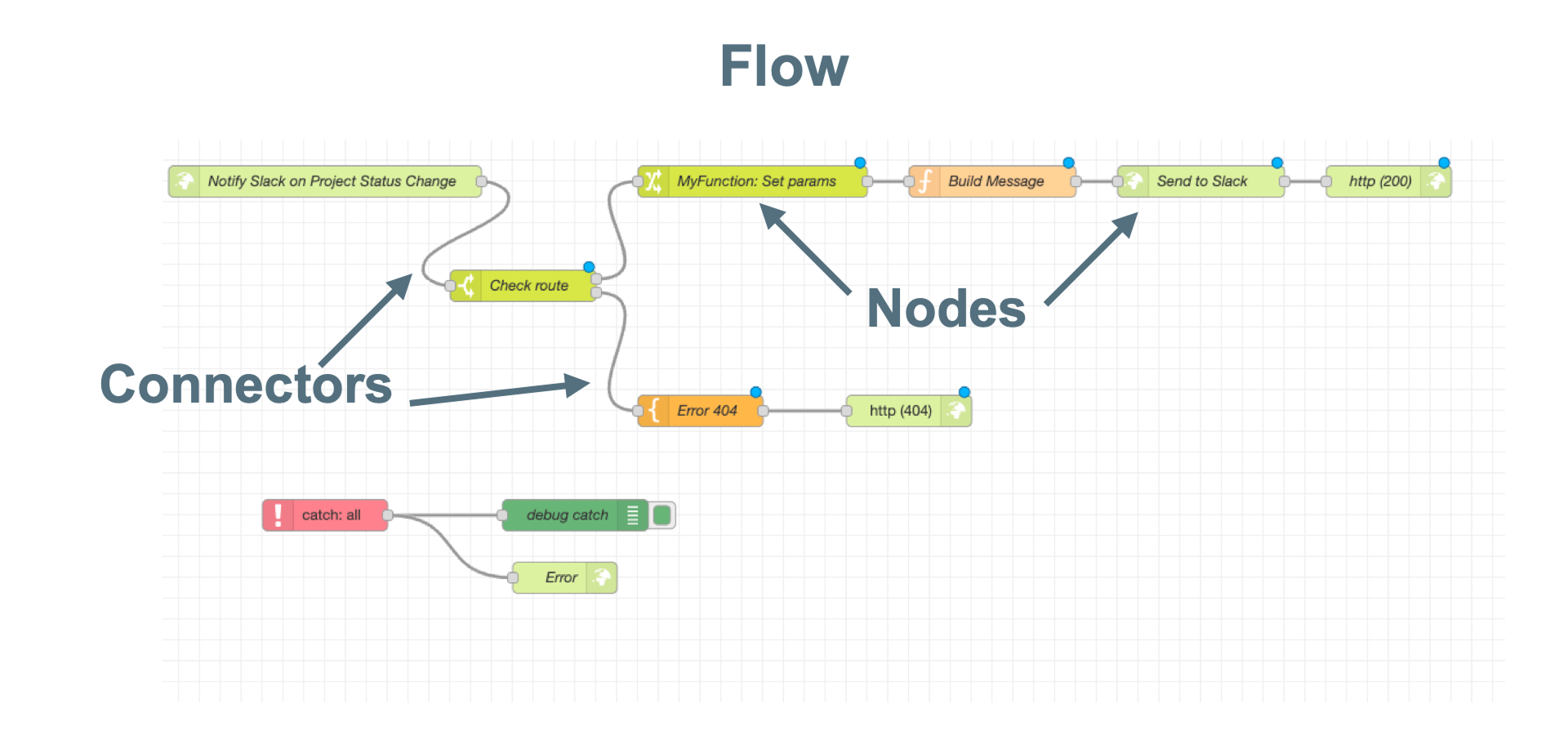
FLOWS
- Concoord uses no Code, low Code “Flows” to build any kind of automation, data processing or manipulation.
NODES
- Flows in Concoord are built using “Nodes”. Each node is a lego brick in your flow with a specific function or capability.
CONNECTORS
- Nodes are linked to each other using Connectors.
3 different triggers covered by Concoord:
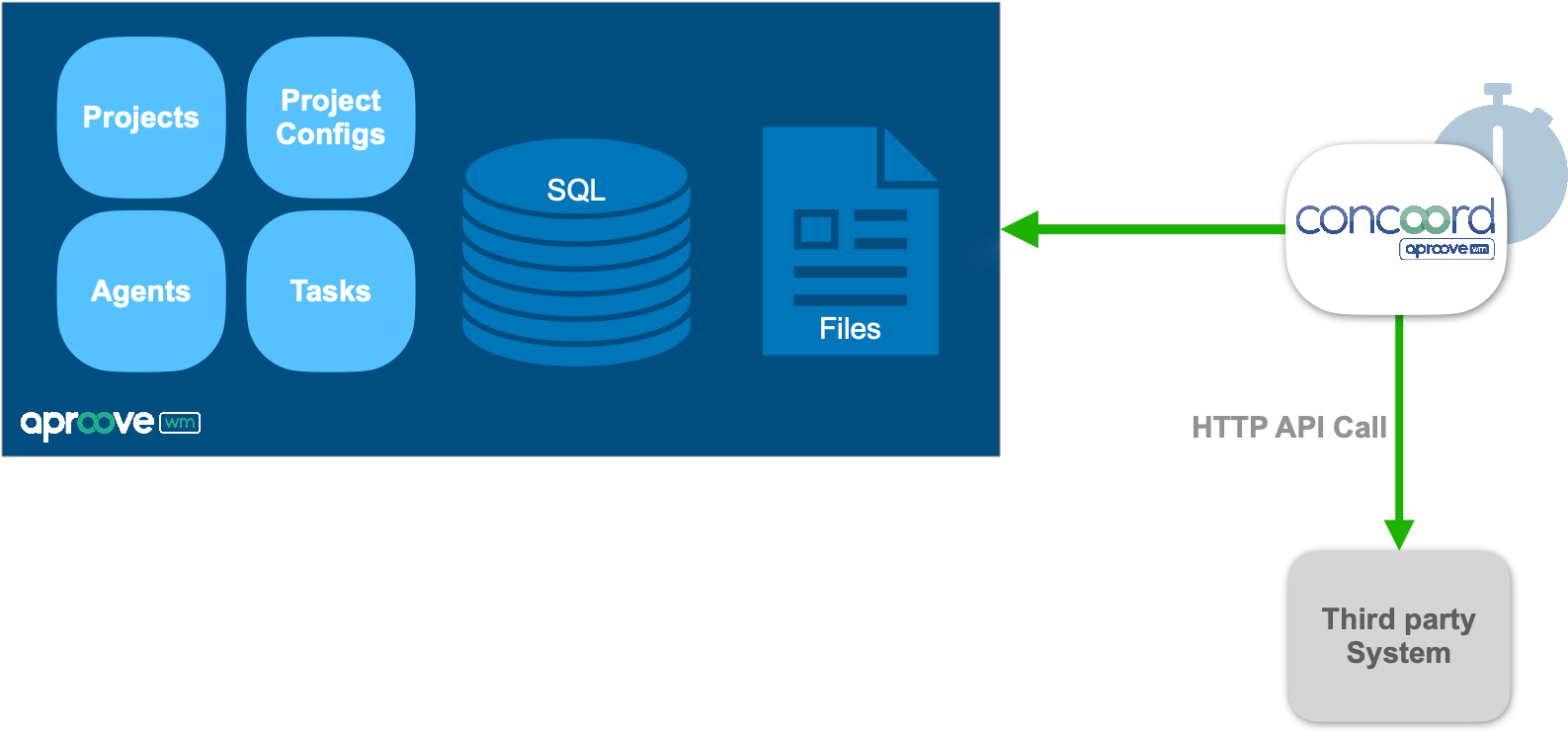
- Aproove Call Concoord Action - Outgoing type, triggered from Aproove
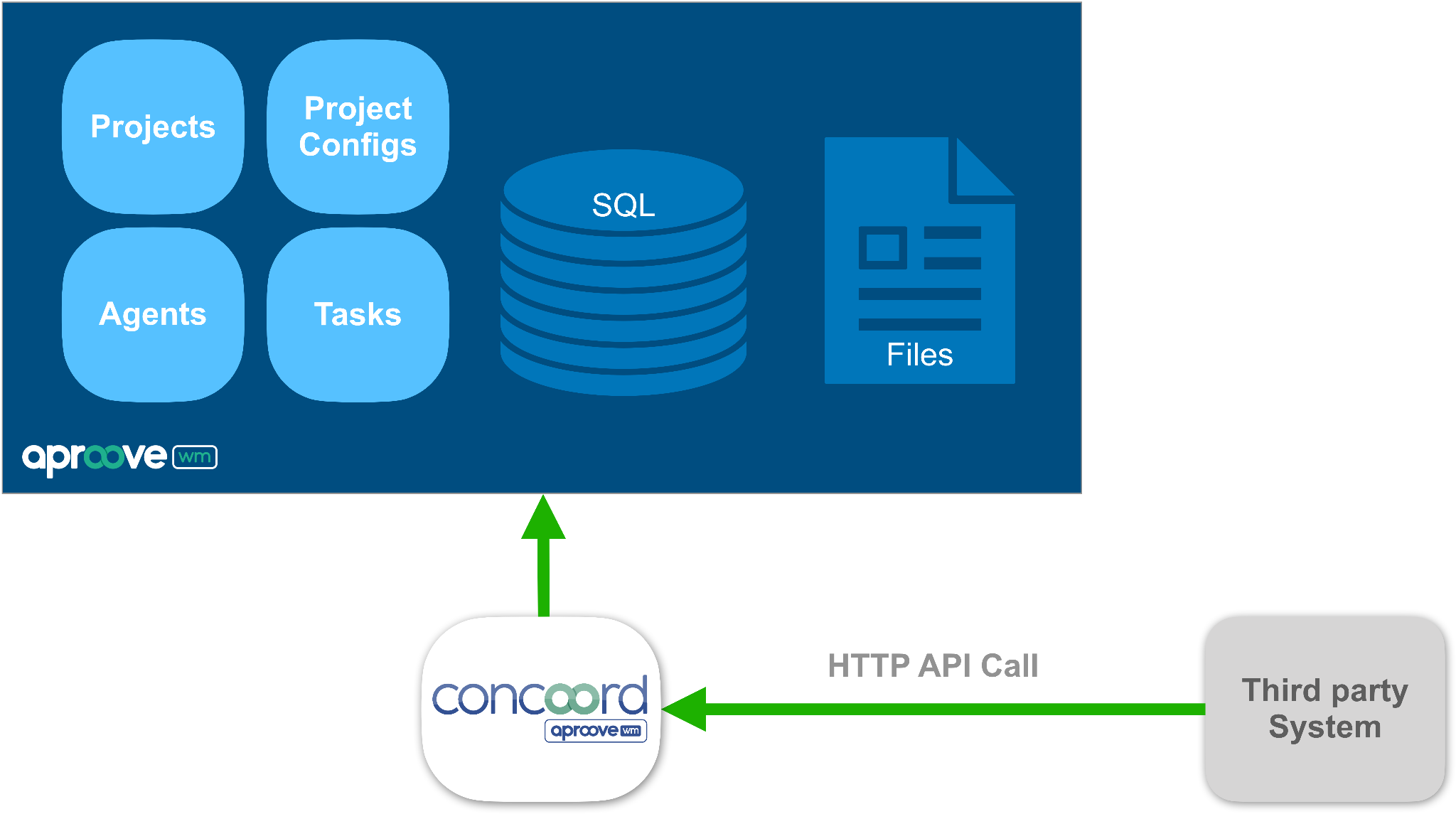
- Concoord Input Flow - Incoming type: Triggered from a 3rd party system
- Concoord Autonomous Flow - Autonomous type: Not triggered by Aproove or 3rd party system
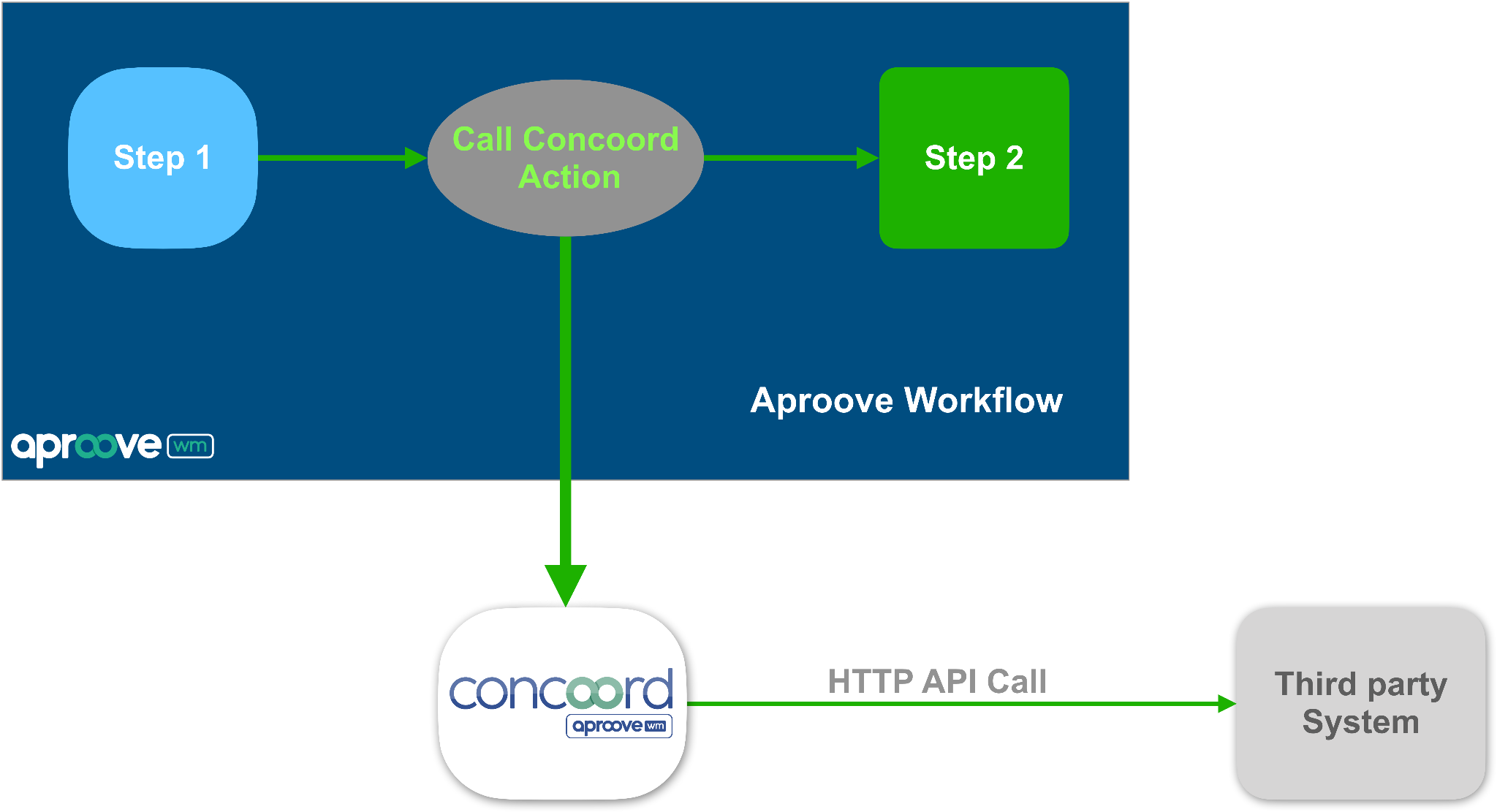
Call Concoord Action: Outgoing type - Triggered from Aproove
Concoord Input Flow: Incoming type - Triggered from 3rd party system
Concoord Autonomous flow type - Not triggered by Aproove or 3rd party
Use case example 1
Input Flow type example
List Projects
- Setup a new endpoint with just a few clicks
- Access to the Aproove API
Call Concoord action type example
Update Slack on Project Status Change
- Send a Slack notification when Project status changes
- Workflow actions trigger the Concoord flow
- Concoord flow builds message and handles communication with Slack
Use case examples - Update Slack on Project Status Change
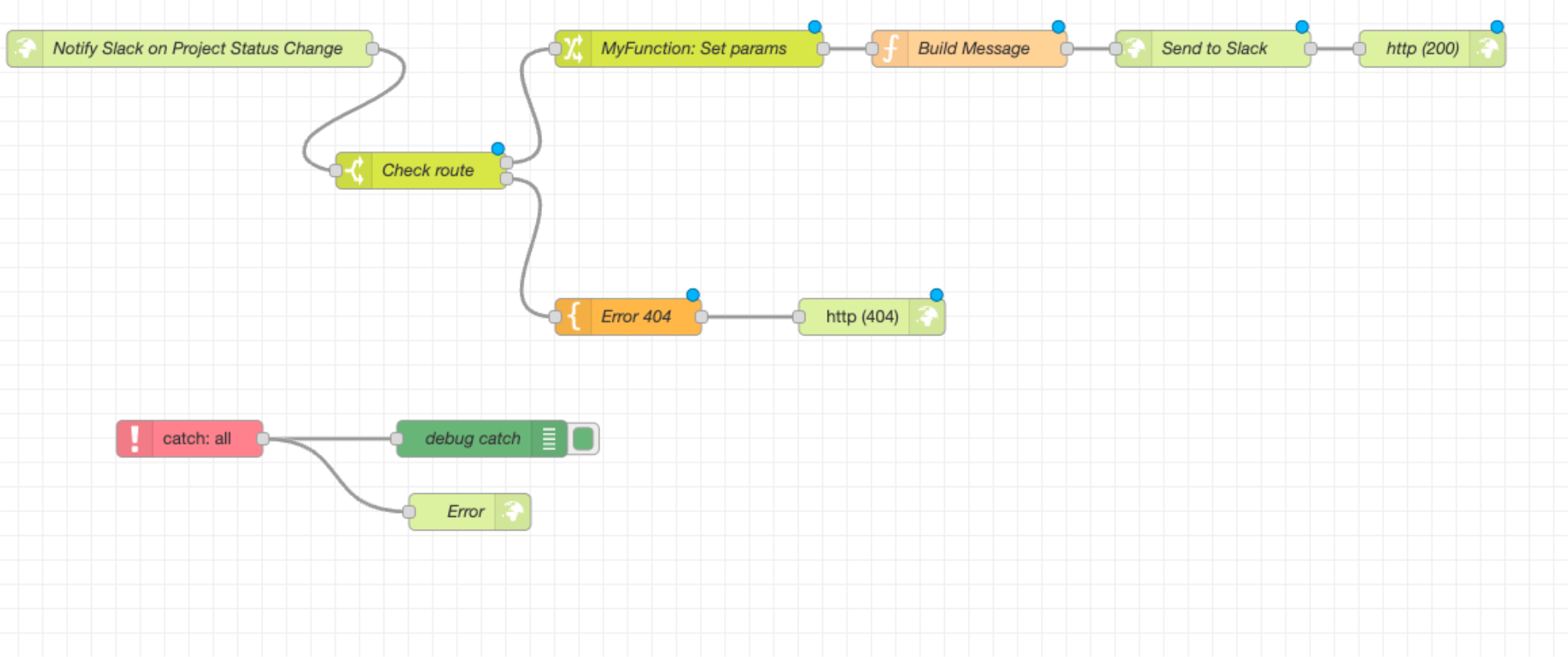
- When a workflow changes status, it triggers a “Concoord call” action
- This action crafts a message containing the project name and its new status
- An API call is made to the Slack web hook
- Users are notified in a dedicated Slack channel about the project status change
Use case example 2
Concoord Input Flow type example
Dropbox hotfolder
- Watch a Folder located on Dropbox
- Detect incoming files by receiving Dropbox callbacks
- Create an Aproove project and add the file to that project
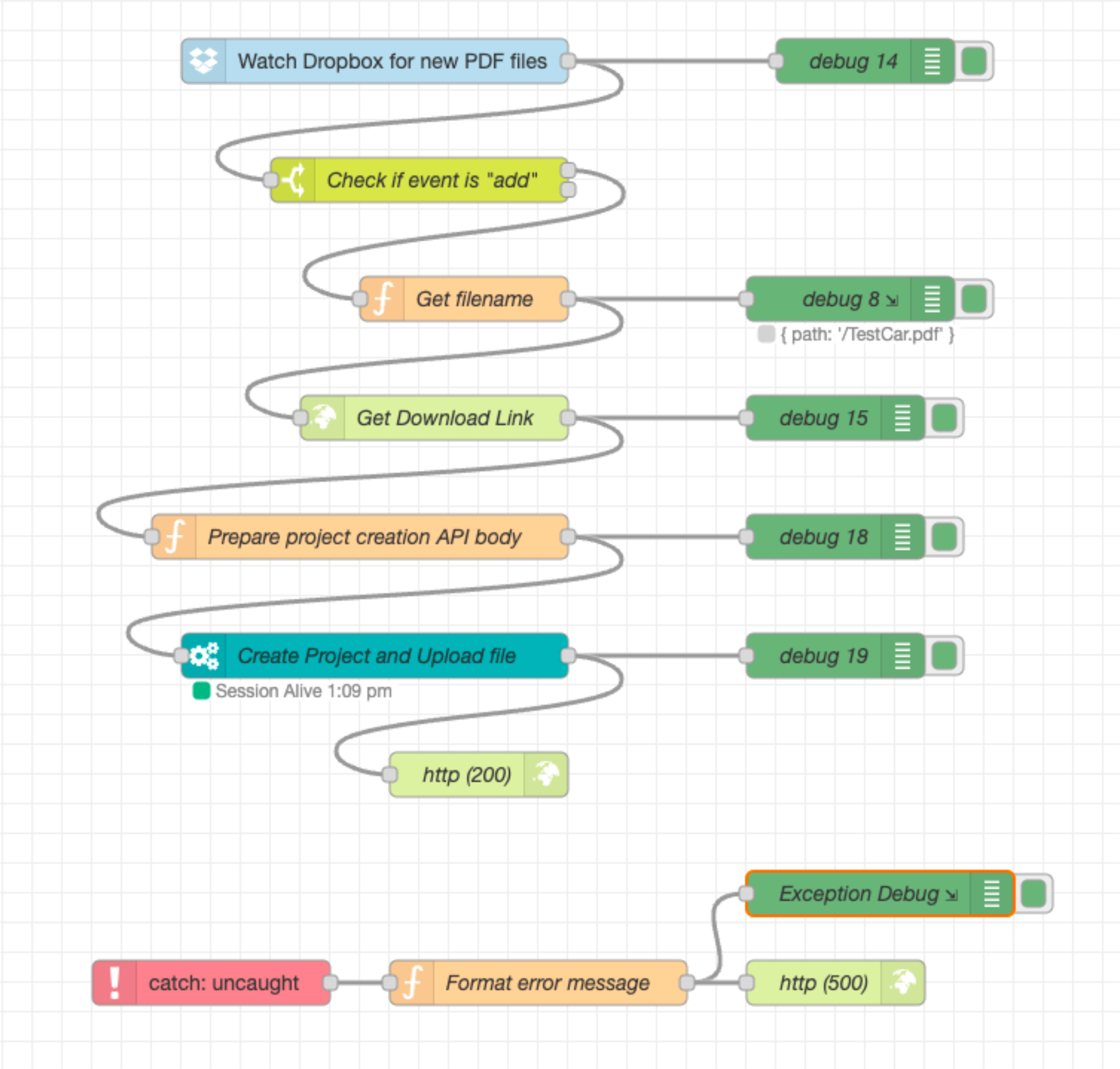
- A node watches a Dropbox folder for changes.
- If a new file is uploaded to Dropbox, the Concoord flow is kicked off.
- A link to the file in Dropbox is generated.
- A new Aproove project is created and the link to the file is added.
- The agent downloads the file directly from Dropbox.
Use case example 3
Concoord Autonomous type example
Slack Notifications on any Task Expiration
- Sends a Slack notification when a task is about to expire
- Uses a timer to check the database on regular basis
- The Concoord flow crafts the messages and handles the communication with Slack
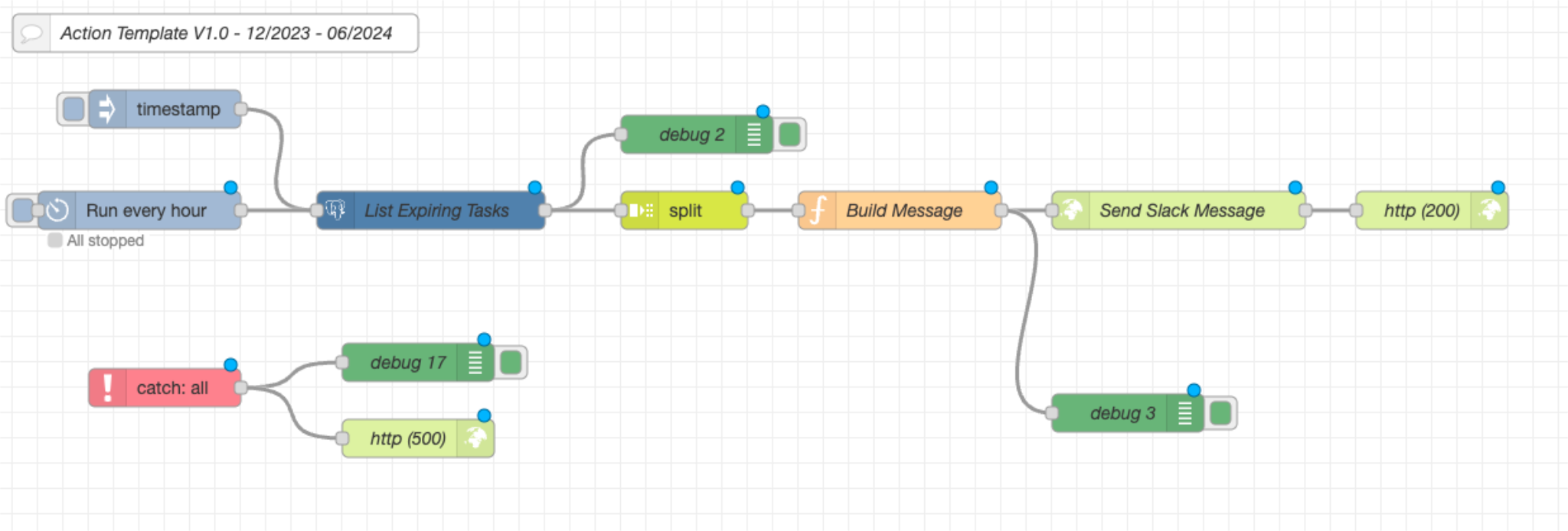
- On a regular interval, a query is performed to get all the tasks expiring soon
- For each task returned, a message is crafted with the task name, the assignee and when it expires
- An API call is made to the Slack web hook
- Users are notified in a dedicated Slack channel about the tasks that are expiring
Considerations
- The debugging node is your friend
- Always end with a http response node
- Use API tools like Postman to test API calls